export GettingStarted
/** Everything you need to get your personal AI assistant running */
🦞## What is OpenClaw?
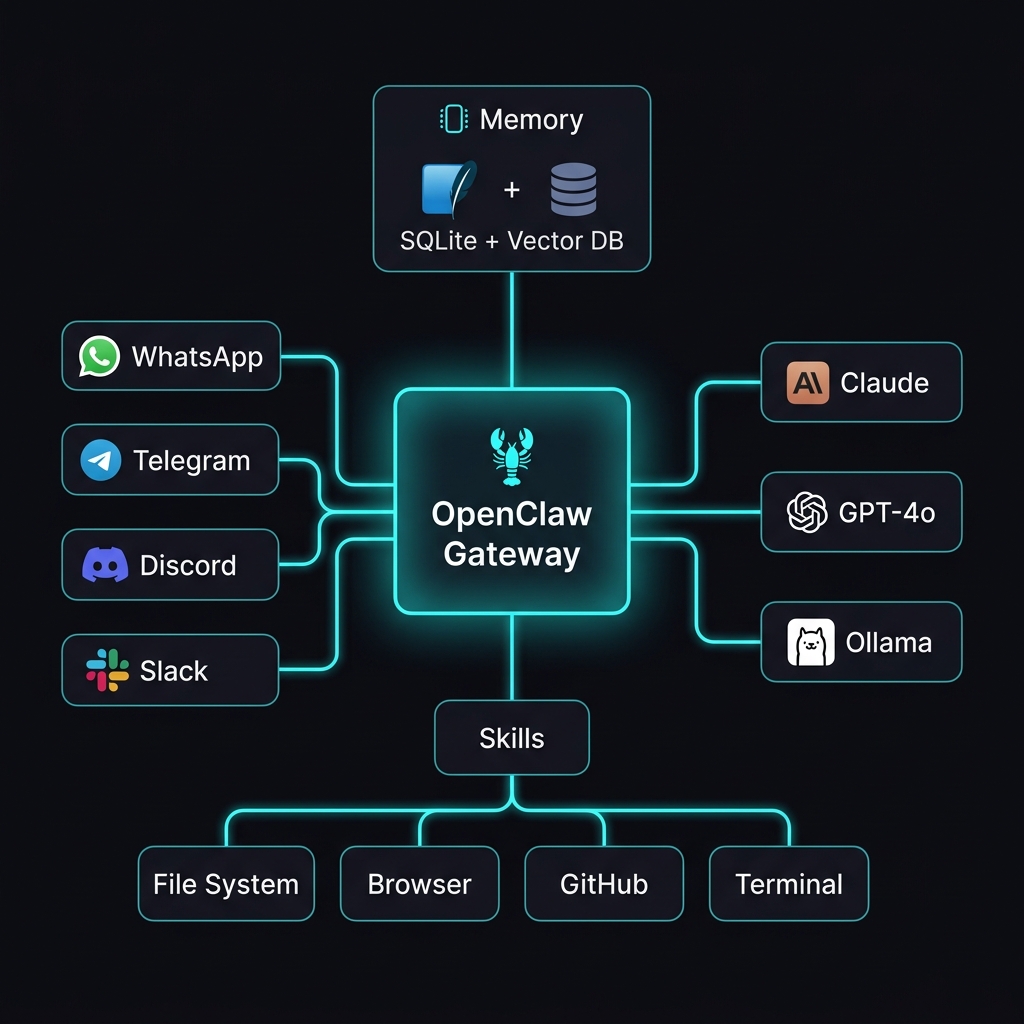
OpenClaw OpenClaw is an open-source, self-hosted personal AI assistant created by Peter Steinberger and the community. Unlike cloud-based AI assistants, OpenClaw runs entirely on your own hardware.
## 📦 Prerequisites
// ⚠️ Windows users: WSL2 with Ubuntu is strongly recommended
## 🚀 Installation
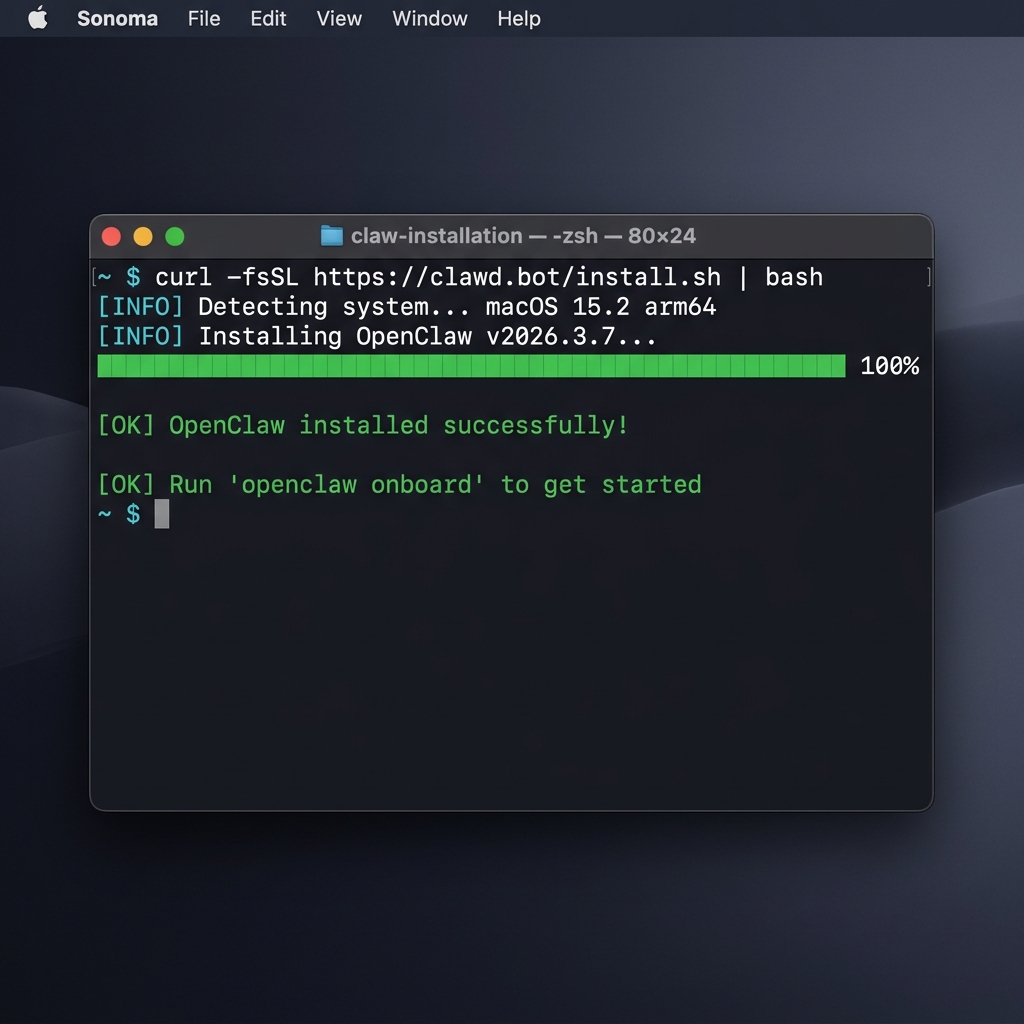
Option 1: Quick Install
Option 2: npm/pnpm
## ⚙️ Configuration
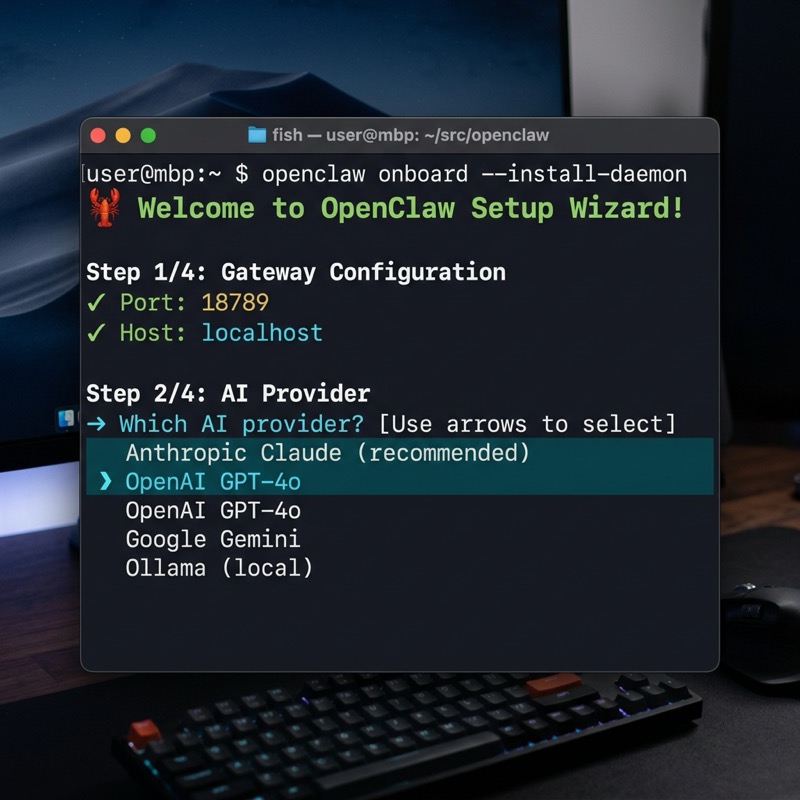
Run the interactive onboarding wizard:
// 💡 Pro tip: Use Anthropic Claude Pro/Max for best experience
## 💬 Your First Conversation
Start the gateway:
Send your first message:
Decide where it runs before you install it
This is worth two minutes of thought because moving later means redoing the channel setup. The agent can read files and run commands on whatever machine hosts it, so the question is less about performance than about what that machine has access to.
| Host | Suits | Watch out for |
|---|---|---|
| A spare mini PC or Mac Mini | Most people. Always on, quiet, cheap to run. | Needs the sleep settings changed before it stays reachable. |
| A small VPS | Anyone needing a stable public address for webhooks. | No GPU, so a local model will be slow. Harden SSH before exposing anything. |
| Raspberry Pi 5 | Orchestration and small models on a tight budget. | 8 GB caps you at roughly 3B models. Boot from SSD. |
| Your daily-driver laptop | Trying it out for an afternoon. | Not for ongoing use — the agent has the same reach as you do on that machine. |
The official documentation is blunt about the last row and it is worth repeating: do not install this on a work or personal computer that is actively in use. The agent can technically reach every file on its host. A machine you would be relaxed about reinstalling is the right starting point.
Installing
The installer script is the supported path on every platform. If you want to look before you commit, `npx openclaw@latest` runs it without installing anything permanently.
# macOS / Linux
curl -fsSL https://openclaw.ai/install.sh | bash

# Windows (PowerShell)
iwr -useb https://openclaw.ai/install.ps1 | iex

# Or try it without installing anything:
npx openclaw@latest
This puts the binary on your PATH. Nothing is configured yet and no service is registered — that is the next two steps.
openclaw onboard
This writes `~/.openclaw/openclaw.json` and walks you through picking a model. Re-running it later overwrites that config file, though your accumulated data is left alone — worth knowing before you run it a second time to fix something.
openclaw gateway install
openclaw gateway start
openclaw gateway status
This is the step that gets skipped, and it is why an agent that worked all afternoon is gone in the morning. `gateway install` registers it with launchd, systemd or a Scheduled Task depending on your platform; `gateway start` then runs it under that supervisor rather than in your shell.
Confirming it is actually healthy
Three commands answer three different questions, and reaching for the right one saves a lot of time. Run them in this order when something looks wrong.
openclaw doctor
`doctor` inspects your setup and reports what is missing or misconfigured. Run it before asking anywhere for help — it usually answers the question by itself.
openclaw triage
Where `doctor` checks the setup, `triage` looks at what is actually going wrong right now. Use it when the install is fine but the behaviour is not.
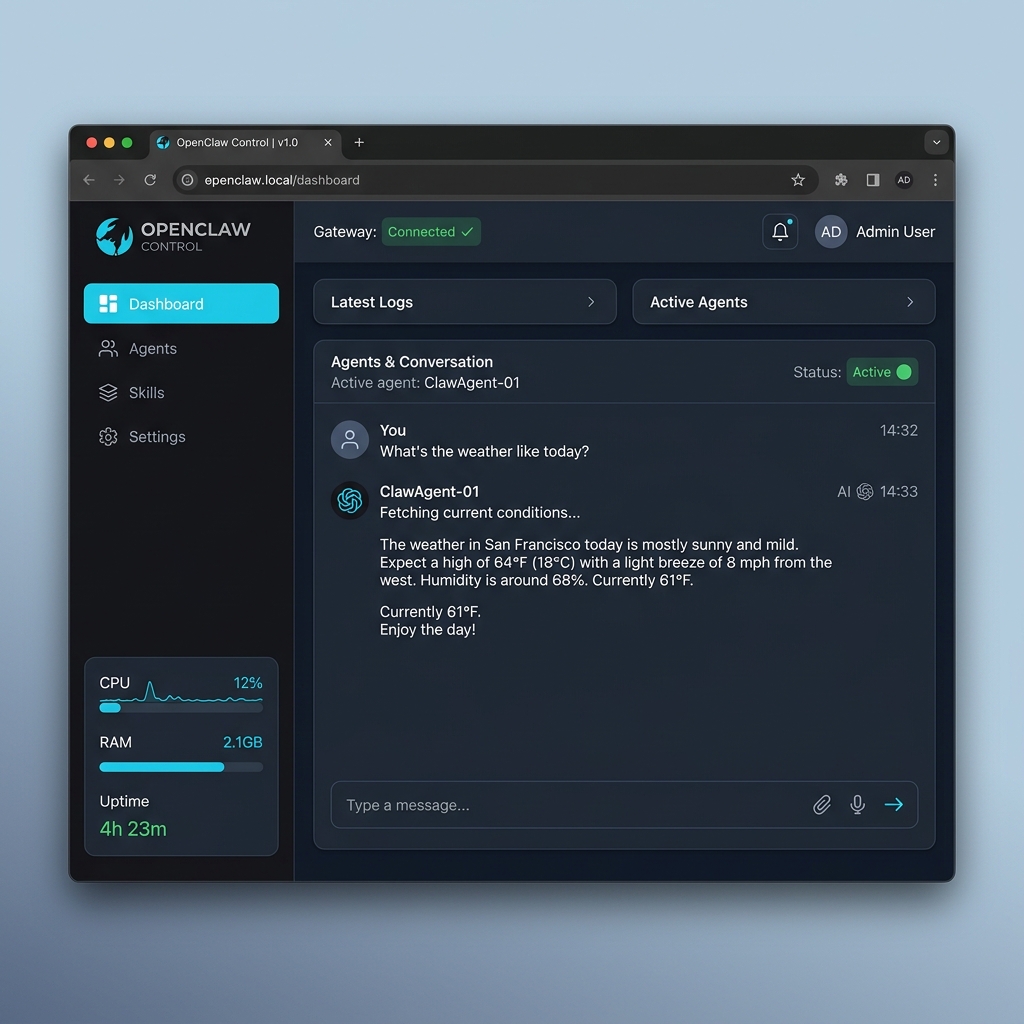
openclaw dashboard
The dashboard is the quickest way to confirm the gateway is genuinely serving rather than merely running as a process.
Things to settle early rather than later
- ✗Decide what the agent may execute before you give it a channel. Tool policy is a hard stop; a well-chosen prompt is not.
- ✗Never expose port 18789 to the internet. Reach it over an SSH tunnel or a private network — an open agent endpoint is remote code execution with your credentials behind it.
- ✗Re-running onboard rewrites your config. Keep a copy if you have hand-edited it.
- ✗The gateway needs the model backend up before it does. If you are running Ollama locally, a cold model load can make the first request look like a hang rather than a delay.