树莓派 5:
$80 AI 服务器
/** 诚实指南:什么真的有效,什么无效,以及如何从 8GB RAM 中榨取最多性能。 */
🤖 Pi 5(8GB RAM)模型兼容性
⚙️ Pi 5 推荐配置
🚀 安装步骤
树莓派 5 能跑什么、不能跑什么
树莓派 5 没有独立显存,也没有 Metal 或 CUDA 通路,所有计算都在 CPU 上、用系统内存完成。这就给它设了一个远低于同等内存 Apple Silicon 的硬上限,而这也是这套方案最常见的失望来源。
| 模型规模 | 8 GB 装得下吗 | 实际表现 |
|---|---|---|
| 1B–3B(4-bit) | 可以,很宽松 | 真正可用的区间。做路由、分类、短回复和触发技能都够。 |
| 7B–8B(4-bit) | 勉强,且上下文要短 | 能跑,但慢到交互式聊天体验很差。作为后台任务可以接受。 |
| 14B 及以上 | 不行 | 会开始交换,基本等同于卡死。不要按这个规划。 |
如果你需要 7B 以上的模型有响应感,那这就是错的硬件,再怎么调优也改不了。树莓派的价值在于:做一台便宜、安静、低功耗的常开主机,跑小模型或者做编排——让它去调用跑在别处的更大模型,是完全合理的设计。
在 Raspberry Pi OS(64 位)上安装
一定要用 64 位镜像。32 位版本寻址不到足够内存,而且有几个依赖没有 armhf 构建。
sudo apt update && sudo apt full-upgrade -y
sudo apt install -y curl git

# Node 22 LTS — the Raspberry Pi OS package is usually too old
curl -fsSL https://deb.nodesource.com/setup_22.x | sudo -E bash -
sudo apt install -y nodejs
node --version
Raspberry Pi OS 自带的 Node 版本太老。从 NodeSource 装,否则 OpenClaw 会报一些看起来像 bug、其实不是的语法错误。
curl -fsSL https://ollama.com/install.sh | sh

# a 3B class model is the realistic ceiling on 8 GB
ollama pull llama3.2:3b
ollama run llama3.2:3b --verbose "reply with the single word: ready"
先单独验证模型能回话。在树莓派上第一次加载慢到经常被误以为是卡死了。
curl -fsSL https://openclaw.ai/install.sh | bash

openclaw --version
openclaw doctor
用 sudo 全局安装能把二进制放进系统 PATH,下面的 systemd 单元依赖这一点。
openclaw gateway install
openclaw gateway start
openclaw gateway status
`gateway install` 会替你写好 systemd unit——不要手写一份,否则升级时会和你的副本打架。8 GB 上 OOM killer 确实会触发,所以先重启一次确认服务能自己回来,再去信任它。
调优:存储、交换、散热与上下文
有四个设置几乎决定了「能用的树莓派」和「看起来坏了的树莓派」之间的全部差别。按顺序过一遍——每一项都是断崖而不是渐变。
# Boot from SSD, not microSD, if you possibly can.
lsblk -o NAME,ROTA,SIZE,MOUNTPOINT

# Check what the card is actually doing under load:
sudo apt install -y iotop
sudo iotop -o
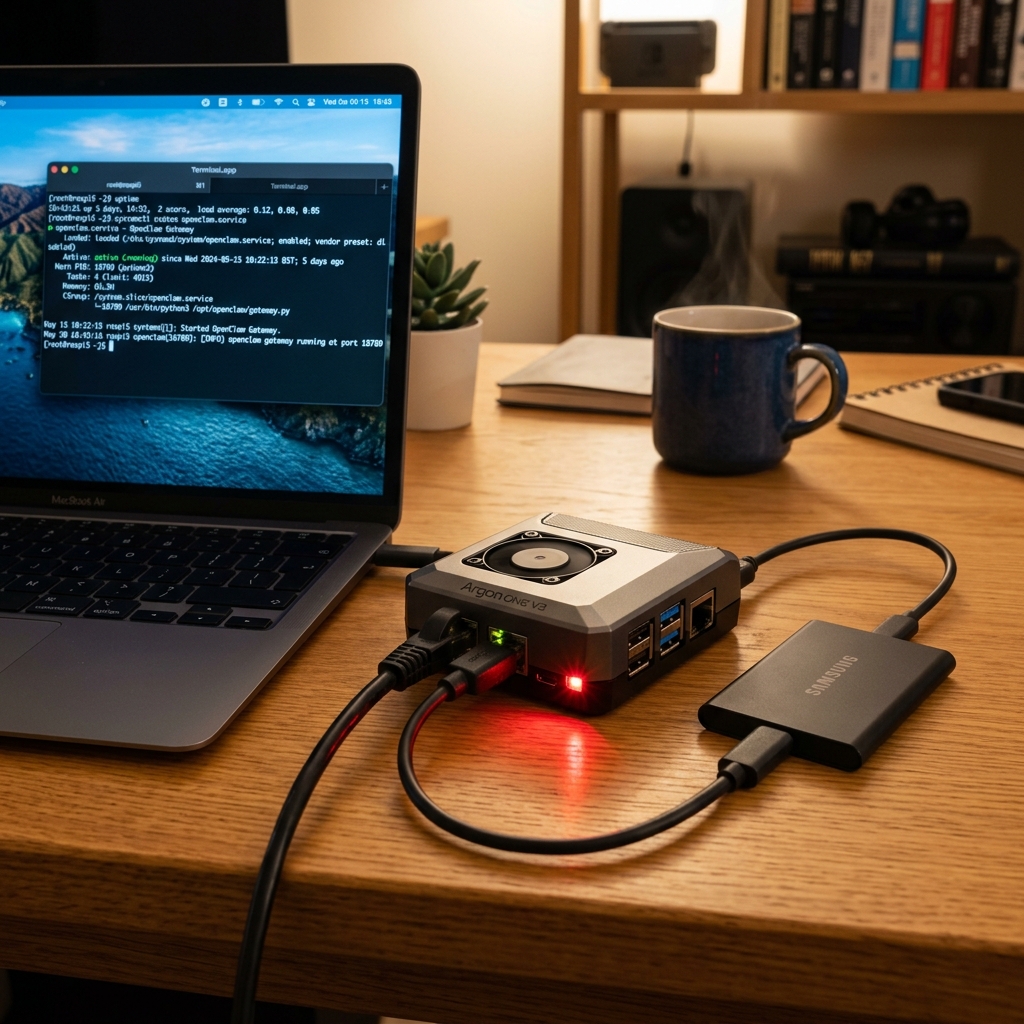
模型加载是 I/O 瓶颈。用 microSD 会把 20 秒的加载变成几分钟,而且每次需要回读页面时推理都会卡住。上一块 NVMe HAT 或 USB 3 SSD 是你能做的最大改进。
# Swap on a microSD will destroy the card and stall inference.
# Either move it to SSD or size it small and accept OOM instead.
sudo dphys-swapfile swapoff
sudo sed -i 's/^CONF_SWAPSIZE=.*/CONF_SWAPSIZE=512/' /etc/dphys-swapfile
sudo dphys-swapfile setup && sudo dphys-swapfile swapon
free -h
往 microSD 上交换是灾难性的:慢到像卡死,而且会把卡写坏。要么把 swap 放到 SSD 上,要么把它设小、让 OOM killer 直接动手——至少失败得快而且看得见。
# Sustained inference will thermally throttle a passively cooled Pi.
vcgencmd measure_temp
vcgencmd get_throttled     # 0x0 means it has never throttled

# watch it during a long generation:
watch -n 2 'vcgencmd measure_temp; vcgencmd get_throttled'
被动散热的树莓派 5 在长生成过程中一定会降频。get_throttled 返回任何非 0x0 的值,都说明你的持续吞吐低于短测跑出来的数字。对这种负载来说,官方主动散热器不是可选项。
# Keep the context small — it costs RAM you do not have.
openclaw config set agents.defaults.bootstrapTotalMaxChars 20000
openclaw config set agents.defaults.bootstrapMaxChars 8000
openclaw gateway restart
bootstrap 文件在每次会话时都会被推进系统提示词,而 8 GB 上这部分内存并不富余。这里没有单一的「上下文长度」设置,这两个字符预算才是文档里给出的调节手段。先调小,确认 Agent 仍然拿得到它需要的信息,只在实测有余量的地方再往上加。
什么时候树莓派是错的选择
- ✗你想让 7B 以上的模型有对话级的延迟——买 Apple Silicon 或者租 GPU。
- ✗负载是偶发的、突发式的。一台常开的树莓派在注意力上的成本,比一台用完就销毁的 VPS 更高。
- ✗你需要同时跑多个模型,或者模型 + 数据库 + 浏览器。8 GB 撑不到那么远。
- ✗你冲着树莓派的价格来,但还没把 SSD、主动散热器和一个像样的电源算进去——这几样加起来经常让总价翻倍。