Raspberry Pi 5:
The $80 AI Server
/** The honest guide. What actually works, what doesn't, and how to squeeze the most out of 8GB RAM. */
🤖 Model Compatibility on Pi 5 (8GB RAM)
⚙️ Recommended Config for Pi 5
🚀 Setup Steps
What a Raspberry Pi 5 can and cannot run
The Pi 5 has no dedicated GPU memory and no Metal or CUDA path, so everything runs on the CPU out of system RAM. That sets a hard ceiling well below what the same model size would give you on Apple Silicon, and it is the single most common source of disappointment with this build.
| Model class | Fits in 8 GB? | What to expect |
|---|---|---|
| 1B–3B (4-bit) | Yes, comfortably | The usable range. Fine for routing, classification, short replies and triggering skills. |
| 7B–8B (4-bit) | Barely, with a short context | Runs, but slowly enough that interactive chat is unpleasant. Acceptable for background jobs. |
| 14B and above | No | Will swap and effectively hang. Do not plan around it. |
If you need a 7B or larger model to feel responsive, this is the wrong hardware and no amount of tuning will change that. The Pi's value is being a cheap, silent, low-power always-on host for small models and for orchestration — pointing it at a larger model running elsewhere is a perfectly good design.
Installation on Raspberry Pi OS (64-bit)
Use the 64-bit image. The 32-bit build cannot address enough memory for anything useful and several dependencies have no armhf builds.
sudo apt update && sudo apt full-upgrade -y
sudo apt install -y curl git

# Node 22 LTS — the Raspberry Pi OS package is usually too old
curl -fsSL https://deb.nodesource.com/setup_22.x | sudo -E bash -
sudo apt install -y nodejs
node --version
Raspberry Pi OS ships an old Node. Install from NodeSource, otherwise OpenClaw fails with syntax errors that look like bugs but are not.
curl -fsSL https://ollama.com/install.sh | sh

# a 3B class model is the realistic ceiling on 8 GB
ollama pull llama3.2:3b
ollama run llama3.2:3b --verbose "reply with the single word: ready"
Verify the model answers on its own first. On a Pi the first load is slow enough that people often assume it has hung.
curl -fsSL https://openclaw.ai/install.sh | bash

openclaw --version
openclaw doctor
Installing globally with sudo keeps the binary on the system PATH, which the systemd unit below depends on.
openclaw gateway install
openclaw gateway start
openclaw gateway status
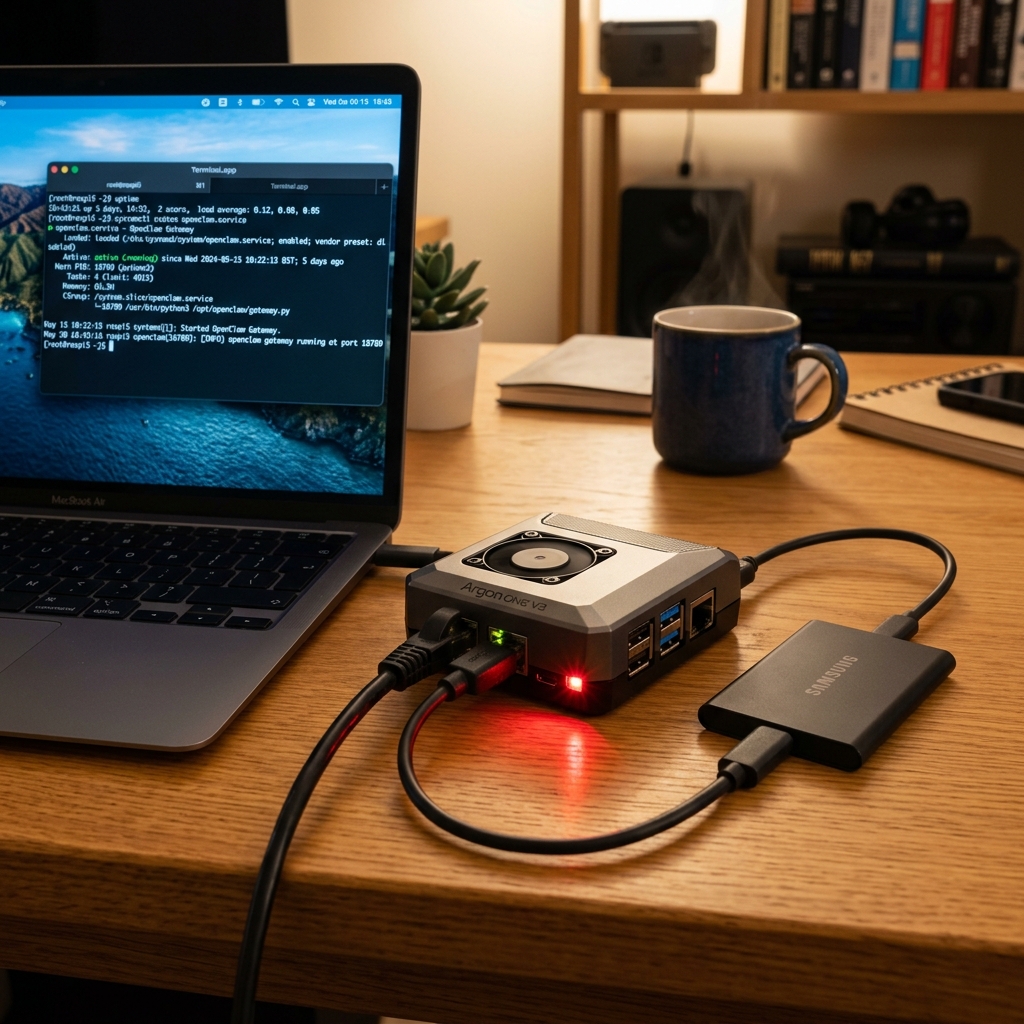
`gateway install` writes the systemd unit for you — do not hand-roll one, or an upgrade will fight your copy. On 8 GB the OOM killer does fire, so confirm the service comes back after a reboot before you trust it.
Tuning: storage, swap, thermals and context
Four settings account for almost all the difference between a Pi that works and a Pi that appears broken. Work through them in order — each one is a cliff rather than a gradient.
# Boot from SSD, not microSD, if you possibly can.
lsblk -o NAME,ROTA,SIZE,MOUNTPOINT

# Check what the card is actually doing under load:
sudo apt install -y iotop
sudo iotop -o
Model loading is I/O bound. A microSD turns a 20-second load into minutes, and inference stalls whenever a page has to be read back. An NVMe HAT or a USB 3 SSD is the single biggest improvement you can make.
# Swap on a microSD will destroy the card and stall inference.
# Either move it to SSD or size it small and accept OOM instead.
sudo dphys-swapfile swapoff
sudo sed -i 's/^CONF_SWAPSIZE=.*/CONF_SWAPSIZE=512/' /etc/dphys-swapfile
sudo dphys-swapfile setup && sudo dphys-swapfile swapon
free -h
Swapping to a microSD is catastrophic: it is slow enough to look like a hang, and it wears the card out. Either put swap on the SSD or keep it small and let the OOM killer act, which at least fails fast and visibly.
# Sustained inference will thermally throttle a passively cooled Pi.
vcgencmd measure_temp
vcgencmd get_throttled     # 0x0 means it has never throttled

# watch it during a long generation:
watch -n 2 'vcgencmd measure_temp; vcgencmd get_throttled'
A passively cooled Pi 5 will throttle during long generations. get_throttled returning anything other than 0x0 means your sustained throughput is below what a short test suggested. The official active cooler is not optional for this workload.
# Keep the context small — it costs RAM you do not have.
openclaw config set agents.defaults.bootstrapTotalMaxChars 20000
openclaw config set agents.defaults.bootstrapMaxChars 8000
openclaw gateway restart
Bootstrap files are pushed into the system prompt on every session, and on 8 GB that memory is not spare. There is no single context-length setting; these two character budgets are the documented levers. Lower them, confirm the agent still has what it needs, and raise them only where you measure headroom.
When a Raspberry Pi is the wrong answer
- ✗You want conversational latency from a 7B or larger model — buy Apple Silicon or rent a GPU.
- ✗The workload is bursty and occasional. An always-on Pi costs more in attention than a VPS you can destroy afterwards.
- ✗You need to run several models concurrently, or a model plus a database plus a browser. 8 GB does not stretch that far.
- ✗You are counting on the Pi's price and have not costed the SSD, the active cooler and a decent power supply — together they often double the outlay.